

Welcome Avatar! In this article I will break down the full Agency in a Box, explain how it is organized, and show you exactly what is inside.

As you know, almost every WiFi Agency article comes with downloadable SOPs, templates, checklists, or spreadsheets. The Agency in a Box is all of those, plus exclusives that are not available anywhere else, organized into a single folder structure that you can plug into your own agency on day one.
In this overview we will look at the following:
What is the Agency in a Box
How the folder is structured
Full list of what is inside (120+ files)
What you get that other subscribers do not
How it keeps growing
Basically a plug and play from day 1. After that you just need to find clients.
1. What is the Agency in a Box
The Agency in a Box is a pre-organized Google Drive folder containing every SOP, template, contract, checklist, spreadsheet, pitch deck, and guide that this rodent has built over 12+ years of running a digital agency.
Think of it as the entire backend of a functioning agency, handed to you as a download. Every document has been scrubbed of personal branding and set up with placeholder text so you can customize it with your own agency name, logo, and details in minutes.
Each file comes in two formats: the polished PDF for quick reference, and the editable Word (.docx), PowerPoint (.pptx), or Excel (.xlsx) version that you can modify and brand as your own. That second part is important because most of what you will find as free resources online are locked PDFs that you cannot change. Here, you own the source files (these MS office file types cannot be shared on Substack, so these are all new unless shared as Google Drive files before).
Autist note: The founding member tier is an annual subscription on Substack. While your subscription is active, you get access to the full Agency in a Box folder and every new SOP, template, or tool that gets added as new articles are published. The folder keeps growing, and you keep getting the updates for as long as you are subscribed.
2. How the Folder is Structured
The Agency in a Box is organized into 11 folders, grouped by the stage of agency operations they support. Here is the full structure:
Agency_in_a_Box/
├── 01_Legal_Templates/
├── 02_Client_Onboarding/
├── 03_SEO/
├── 04_Content_Marketing/
├── 05_Paid_Ads/
│   ├── Google_Ads/
│   ├── LinkedIn/
│   ├── Local_PPC/
│   ├── Retargeting_and_Tracking/
│   ├── TikTok/
│   └── YouTube/
├── 06_Analytics_and_Conversions/
├── 07_Email_Marketing/
├── 08_Reporting/
├── 09_Web_Development/
├── 10_AI_Tools/
└── 11_Strategy/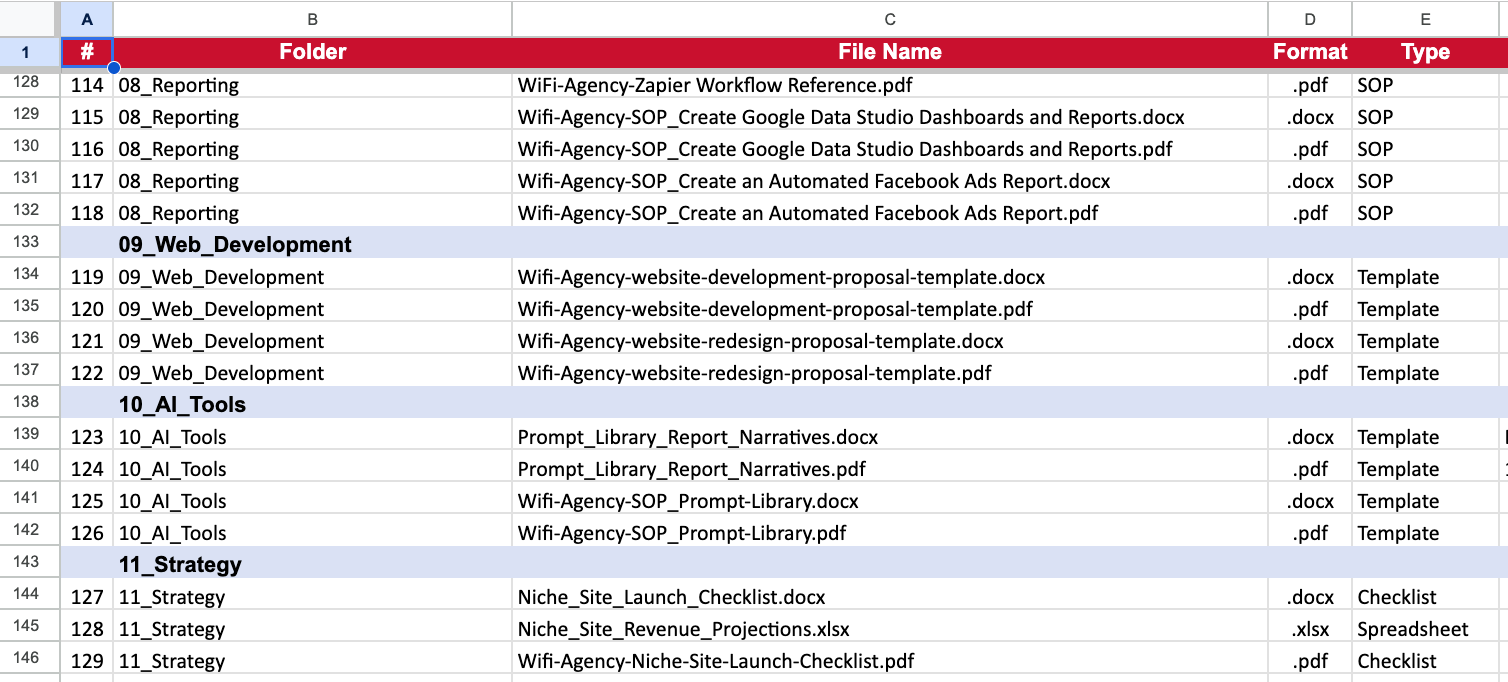
Every folder contains both the PDF and the editable version (Word, PowerPoint, or Excel) of each asset.
3. Full List of What is Inside
Here is a breakdown of every folder and what you will find in each:
01_Legal_Templates
Three core legal documents to onboard clients without paying a lawyer every time. The Letter of Engagement is the big one (find-and-replace ready with placeholder tags for client name, agency name, and date). Also includes the NDA and a contract introduction email template.
02_Client_Onboarding
Eight onboarding assets: five client brief templates (UX/UI, marketing, landing page, logo, website creation), a Google Ads client onboarding questionnaire spreadsheet, and a website redesign brief. These are the exact briefs this rodent uses with real clients.
03_SEO
Eight files covering the full SEO service stack. The SEO Audit Calculation spreadsheet (the big one from the SEO Audit article), the SEO Action Template, the Brand Signal Audit template and scoring sheet, a brand-building campaign planner, and a Brand Signal pitch deck snippet (PPTX) you can customize for client meetings.
04_Content_Marketing
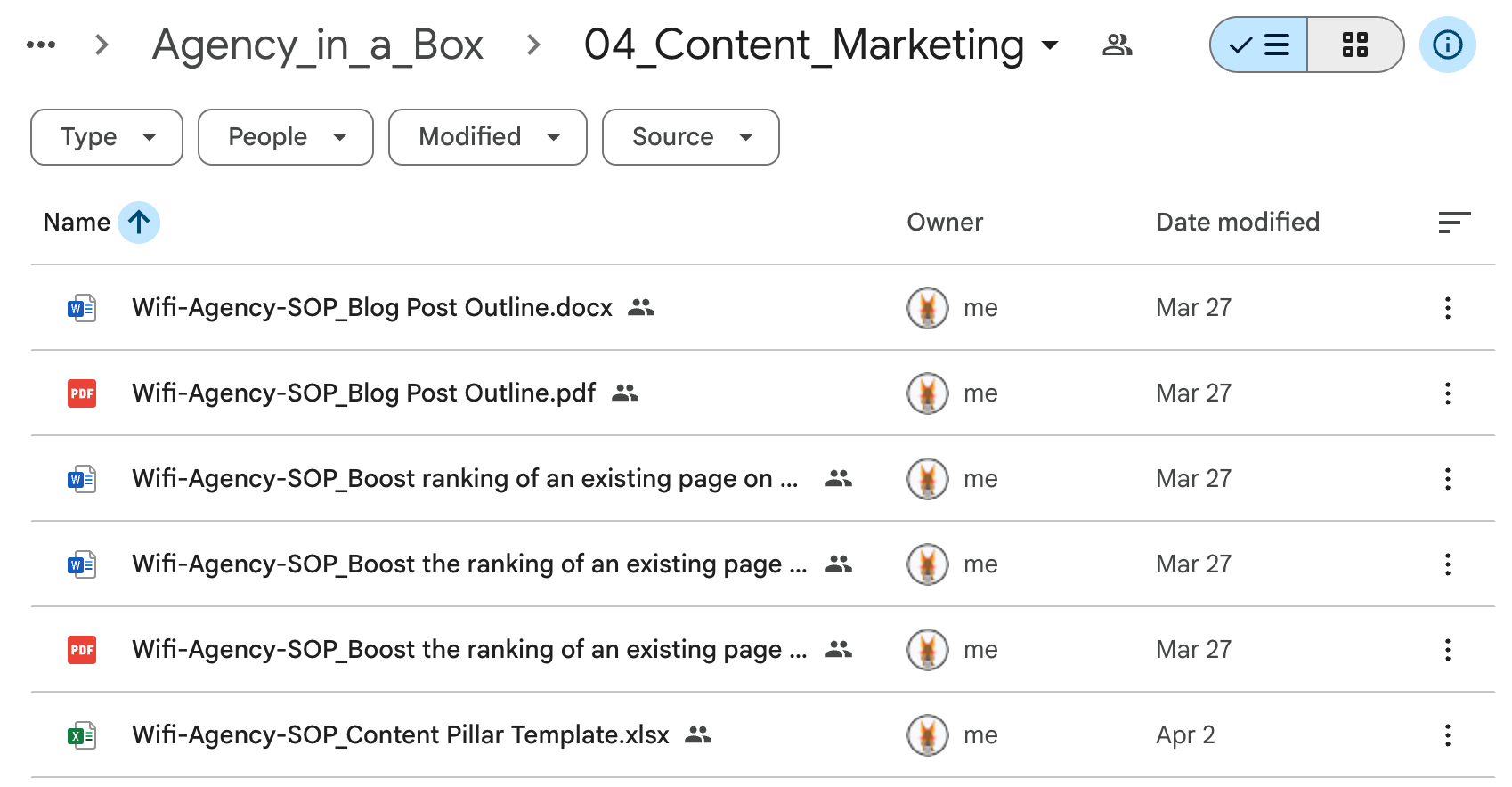
Fifteen assets for running content as a service. Blog post outline SOPs, content pillar template, editorial calendar planner, editorial guidelines, content repurposing SOP, a “kick-off your content engine” SOP, and a popular content analysis worksheet. Plus the SOP for boosting the ranking of an existing page on search engines.
05_Paid_Ads (6 sub-folders, 52 files total)
The biggest section. Organized by platform:
Google Ads (25 files): Account creation, user access management, campaign strategy proposals (both DOCX and PPTX versions), keyword research, naming conventions, bid strategies, competitor reverse-engineering, brand awareness campaigns, display ads creative briefs, abandoned-cart Display Network campaigns, and a PPC template spreadsheet plus a naming convention generator.
LinkedIn (12 files): Account setup, pixel installation, company page setup, lead generation ad campaigns, lead generation forms, and access management. Mostly for B2B clients.
Local PPC (3 files): The local PPC pitch deck (PPTX) plus the campaign setup and management checklist, pulled from the $500/mo local PPC starter package article.
Retargeting and Tracking (2 files): Facebook conversion tracking configuration SOP.
TikTok (8 files): Pixel installation plus SOPs for brand awareness, lead generation, and sales conversion campaigns.
YouTube (2 files): The 16-page Video Optimization SOP covering environment setup, production, monetization, ranking signals, and the post-publish workflow.
06_Analytics_and_Conversions
Seventeen SOPs. Google Analytics 4 setup, GTM form submission event tracking, conversion funnel reports, user segment reports, landing page reports, custom event tracking, a conversion tracking decision tree, Google Analytics annotations for tracking business events, heatmap implementation, a clickmap and scrollmap diagnosis cheat sheet, and conversion goal configuration. The stuff most agencies fumble during onboarding because they rush straight to campaigns without proper measurement in place.
07_Email_Marketing
Seven files: the Email Marketing Checklist, a lead magnet automation SOP, a MailChimp welcome email setup SOP, and a content upgrade popup SOP for growing the email list.
08_Reporting
Eight files including the Google Data Studio (Looker Studio) dashboards SOP, the Facebook Ads automated report SOP, a Zapier workflow reference, plus two recent additions:
Agency Reporting Automation Blueprint: A complete guide to automating 80%+ of your monthly client reporting using AI agents (Claude or GPT) with Zapier or Make. Covers the full pipeline from data layer to delivery, including Google Sheet templates, API configuration, scaling to multiple clients, and a troubleshooting guide.
Prompt Library for Report Narrative Generation: 15 tested prompts for automated client report writing. Covers monthly Google Ads, Meta Ads, SEO, LinkedIn Ads, ecommerce, local SEO/GBP, multi-channel summaries, QBRs, campaign launch reports, performance drop alerts, executive summaries, and more. Copy-paste ready for Zapier or Make workflows.
09_Web_Development
Four files: the website development proposal template and the website redesign proposal template (both PDF and DOCX). The operational backbone for quoting and closing web dev projects.
10_AI_Tools
Four files. The main Prompt Library SOP from the AI in Digital Marketing articles, plus the Report Narrative prompts. This folder will keep growing as AI tools evolve.
11_Strategy
Three files: the Niche Site Launch Checklist (90-day plan), the Niche Site Revenue and Traffic Projection Spreadsheet (12-month model with conservative, moderate, and aggressive scenarios plus a break-even calculator), and the PDF version of the launch checklist.
Patagonian rodent note: The full count as of today is 129 files and climbing. Every new article that includes a downloadable gets added to the corresponding folder. So this thing compounds over time.
4. What Founding Members Get That Regular Subscribers Do Not
Free subscribers get the first section or two of every article, which is usually the strategic overview or the “why” behind a topic. That alone is valuable if you are just getting started.
Paid subscribers get the full article plus the individual downloads attached to each post.
Founding members get everything above, plus the complete Agency in a Box folder with all assets organized, de-branded, and ready to customize. That includes files from every article in the archive, not just new ones. You also get any future additions automatically.
To put some numbers on it: if you were to hire someone to build this collection from scratch, including the contracts, SOPs, pitch decks, spreadsheets, and automation blueprints, you would be looking at several thousand dollars and a few months of work. Or you could subscribe for a year at the founding member rate and download the whole thing today.
Below the paywall, founding members get:
The direct Google Drive link to the full Agency in a Box folder
The current index of every SOP, template, checklist, and blueprint inside
Instructions for how to clone the folder so you keep your own editable copy
A walkthrough of how the folder updates when new assets are added